Your email account is one of the most important parts of your digital life.
It is not only where you receive messages. Your email is often connected to your bank, social media, shopping accounts, cloud storage, work accounts and password-reset links.
That is why gaining access to an email account can be extremely valuable to a cybercriminal. Once inside, an attacker may try to reset passwords for other accounts, impersonate you, steal private information or scam your contacts.
If you think someone has accessed your email, acting quickly can limit the damage.
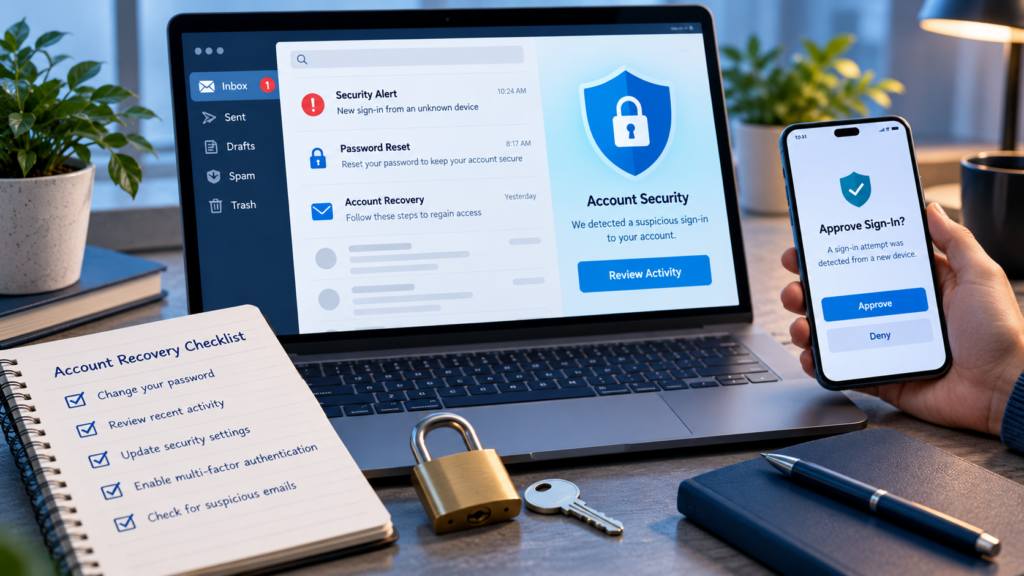
1. Change Your Password Immediately
If you can still access your account, change the password first.
Do this from a device you trust. Create a completely new password that you have never used on another website.
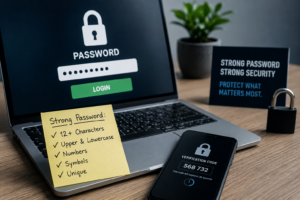
A strong password should be long and difficult to guess. A password manager can generate and store strong passwords for you.
Do not simply change:
BrisbaneCoffee2025
to:
BrisbaneCoffee2026
If an attacker knows the old password, this change may be easy to predict.
More importantly, if you used the compromised password on other websites, change it on those accounts too. Criminals often automatically test stolen email-and-password combinations against many popular services.
2. Turn On Multi-Factor Authentication
After changing your password, enable multi-factor authentication (MFA) if you have not already done so.
MFA adds another security check when someone tries to sign in.
For example, after entering your password, you might need to approve the login through an authentication app or use a passkey.
This means stealing your password alone may not be enough to access your account.
If your email provider supports passkeys or authentication apps, these are generally preferable to relying only on passwords.
However, MFA does not mean you can ignore suspicious login requests. Never approve an authentication request you did not initiate.
3. Sign Out Other Devices and Sessions
Changing your password is important, but check whether your email provider allows you to view devices or active sessions connected to your account.
You might see something such as:
Windows PC – Brisbane
iPhone – Brisbane
Unknown Android device – Unknown location
Do not immediately assume an unfamiliar location proves you were hacked because location information can sometimes be inaccurate.
But if you see a device you definitely do not recognise, remove it.
If your provider offers a “Sign out everywhere” option, consider using it after changing your password.
4. Check Your Recovery Information
Attackers sometimes change account recovery settings so they can return later.
Check your:
- Recovery email address
- Recovery phone number
- Trusted devices
- MFA methods
- Passkeys
- Backup or recovery codes
Remove anything you do not recognise.
Imagine an attacker adds their own recovery email to your account. You change your password and think the problem is solved, but the attacker may later try to recover the account using the information they added.
This is why account recovery settings deserve the same attention as your password.
5. Check Email Forwarding and Rules
This step is easy to forget.
Many email services allow users to automatically forward messages or create rules.
For example:
If an email contains “invoice,” automatically forward it to another address.
These features are useful, but attackers can abuse them.
A criminal who compromises a business email could create a hidden forwarding rule and quietly receive copies of messages about invoices, payments or customers.
They may then wait for the perfect opportunity to impersonate someone and request a fraudulent payment.
Review your forwarding addresses, filters, inbox rules and automatic replies. Delete anything you did not create.
6. Look for Password-Reset Emails
Search your inbox, deleted items and sent folder.
Look for messages such as:
Your password has been changed
Your account recovery email was updated
New login detected
Your verification code
These messages can help you understand what the attacker attempted to access.
Also check your other important accounts directly rather than relying only on email notifications.
Start with financial services, cloud storage, social media, shopping accounts and work systems.
7. Warn Your Contacts If Necessary
If the attacker sent messages from your account, tell the affected people.
A criminal might send something like:
“I’m stuck and need you to transfer $500 urgently. I’ll explain later.”
Because the message genuinely comes from your email address, friends or colleagues may trust it.
A simple warning can prevent another person from becoming a victim.
Businesses should take this particularly seriously if fraudulent invoices, payment instructions or bank-detail changes were sent.
If money may have been transferred because of the compromise, contact the relevant bank or financial institution immediately.
8. Find Out How the Account Was Compromised
Recovering the account is only part of the job.
Try to understand what happened.
Did you enter your password into a fake login page?
Did you reuse a password that was exposed elsewhere?
Did you approve an unexpected MFA request?
Did someone gain access to your computer or phone?
Did you install suspicious software?
If malware may be involved, update your device and security software and run appropriate security scans. Removing malware matters because changing a password on an infected device may simply expose the new password as well.
9. Build Better Protection for the Future
After recovering the account, improve your security rather than returning to exactly the same setup.
Use a unique password for every important account. Consider a reputable password manager. Enable MFA or passkeys where available. Keep your devices and applications updated.
For businesses, make sure employees know how to report suspicious emails and account activity quickly.
You should also protect your email account especially carefully because it can act as a gateway to many other services.
Final Thoughts
An email compromise can be frightening, but quick action can significantly reduce the damage.
Remember the main steps:
Change the password. Secure MFA. Remove unknown sessions. Check recovery methods. Inspect forwarding rules. Review connected accounts. Warn affected contacts.
And most importantly, do not think of your email as “just an inbox.”
For many people, it is effectively the master key to their digital life. Protect it accordingly.